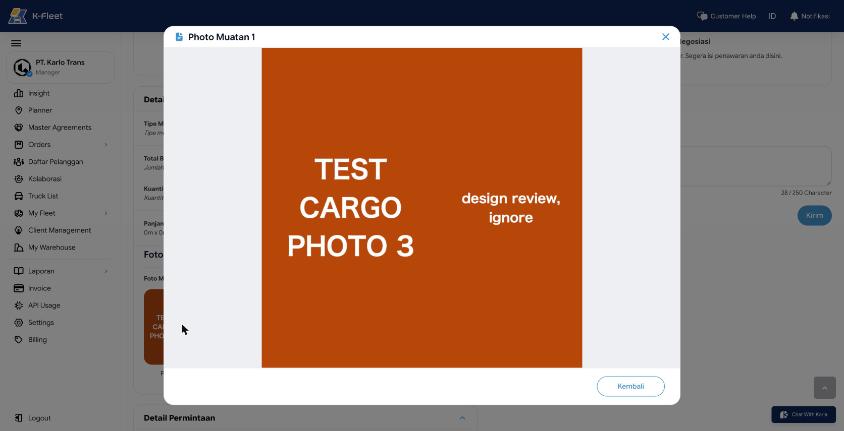
SO-001Create, cargo photos: Uploaded photos overwrite each other
Uploaded photos overwrite each other: all three stored as spot-order/1793245675.png because the S3 key is the upload second. Both roles see photo 3 three times.
Findings typed "bug" in the walkthroughs on platform-staging (2026-10-29), split out of preview.html so they can be filed. Nothing here has been posted to a tracker. bugs.csv has the same rows for import (ID, Title, Description, Area, Flow, App, Environment, Screenshot, Status). Source data: reference/*-flow.json.
SO-001Uploaded photos overwrite each other: all three stored as spot-order/1793245675.png because the S3 key is the upload second. Both roles see photo 3 three times.
SO-002Rating not rounded: 4.386363636363637 (11).
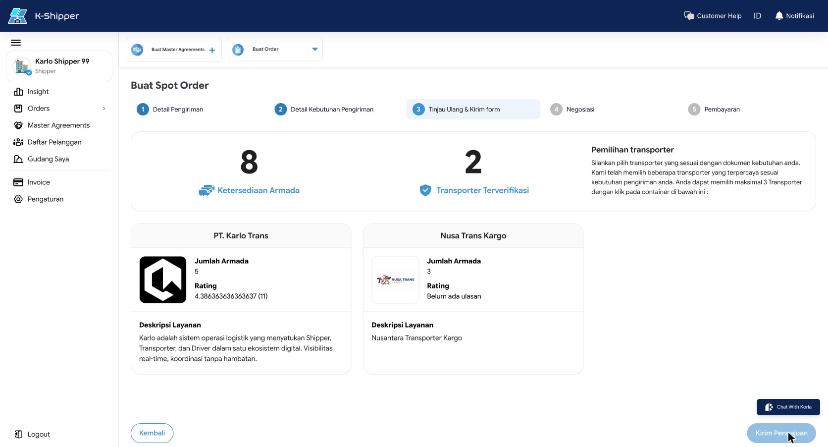
SO-003Driver search lists drivers from other transporters (Maju Tes) and does not filter by the agreed truck type. A Tronton Box was accepted for an order agreed as CDD Box, with no warning.
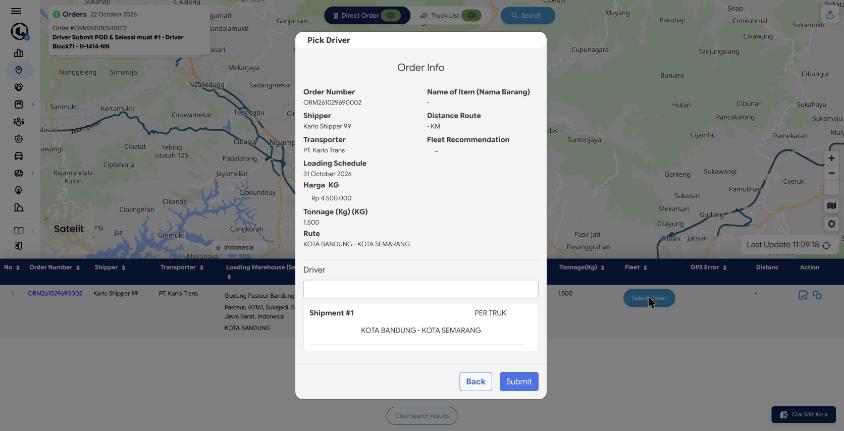
SO-004Order info shows Name of Item '-' (cargo is Biji Kopi) and Distance Route '- KM'.
SO-005A cancelled order still shows the green 'Negosiasi Berhasil! Menunggu konfirmasi & pembayaran' message.
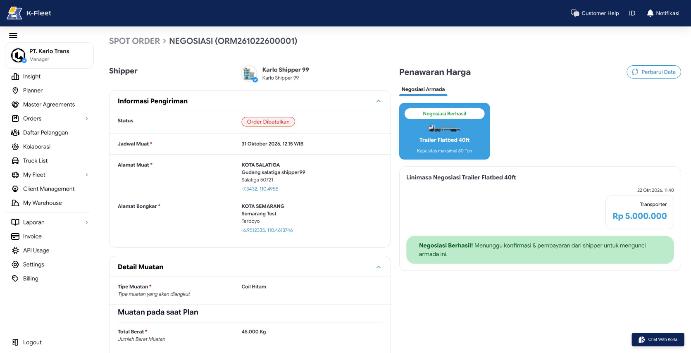
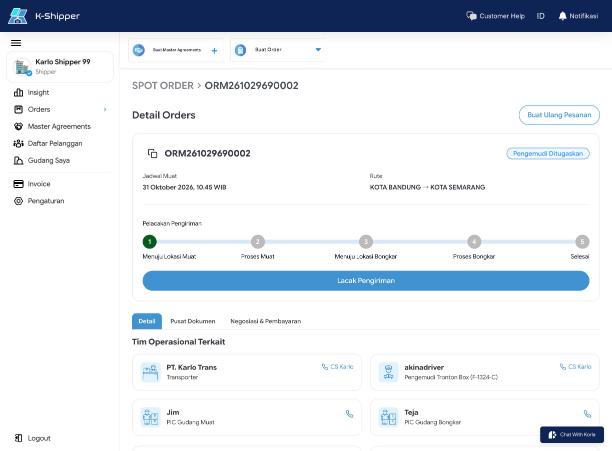
SO-006Status 'Pengemudi Ditugaskan' but the tracker already marks step 1 'Menuju Lokasi Muat' as done.
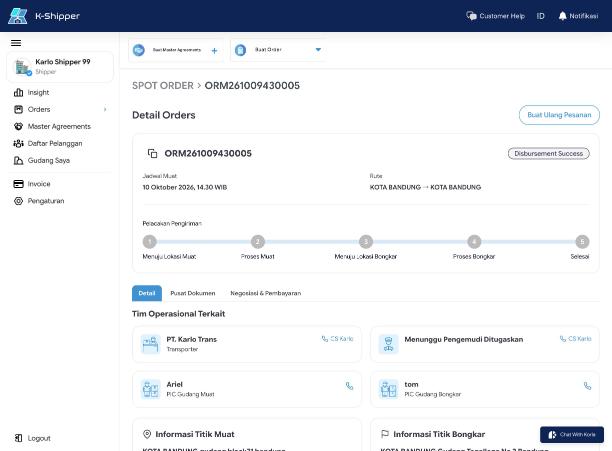
SO-007Team card says 'Menunggu Pengemudi Ditugaskan' on an order that is closed and refunded.
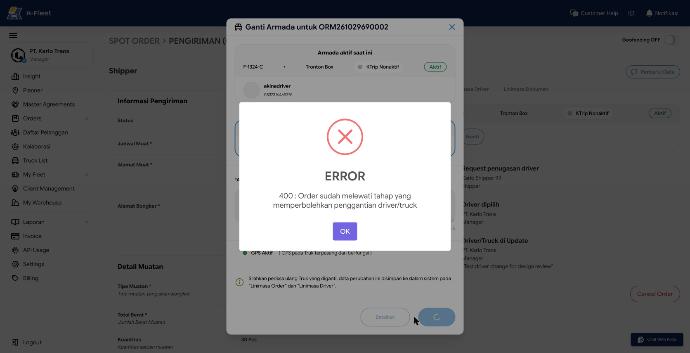
SO-008At 'Pengemudi Ditugaskan' the dialog lets you search, pick and confirm, then the server refuses: '400 : Order sudah melewati tahap yang memperbolehkan penggantian driver/truck'. The UI should not offer the action, or should say why before the user fills it in.
SO-009Truck and armada search list every truck type (CDE Box, Trailer Flatbed, CDE Los Bak) for an order agreed as CDD Box, same as Pick Driver.
SO-010Order is paid, but 'Invoice Pembayaran' and 'Struk Pembayaran' (system auto-generated) still say 'File belum diupload'.
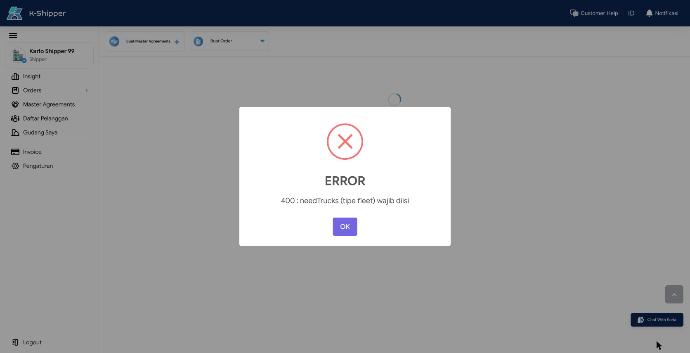
SO-011Selanjutnya passes with no truck type selected; review shows an empty 'Preferensi Armada'; only the server stops it with '400 : needTrucks (tipe fleet) wajib diisi' (raw API field name) in a SweetAlert over a blank page.
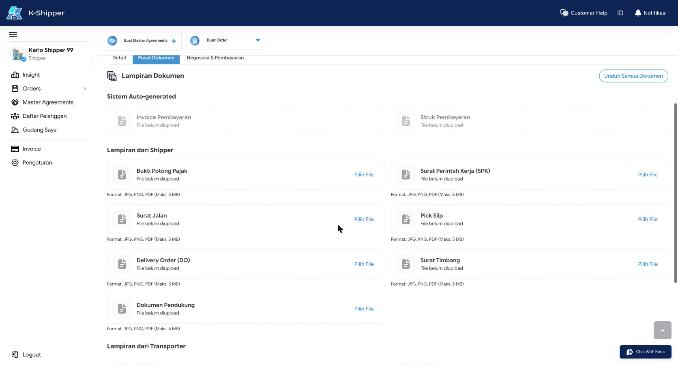
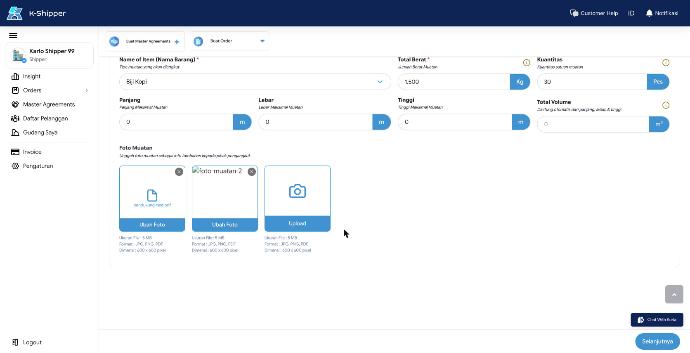
SO-012No type check: a .txt is accepted and shows as a broken image; a PDF is accepted as a 'photo' (the hint lists PDF). 'Dimensi: 600 x 600 pixel' is stated but not checked. Over 5 MB uses a native browser alert() that blocks the page.
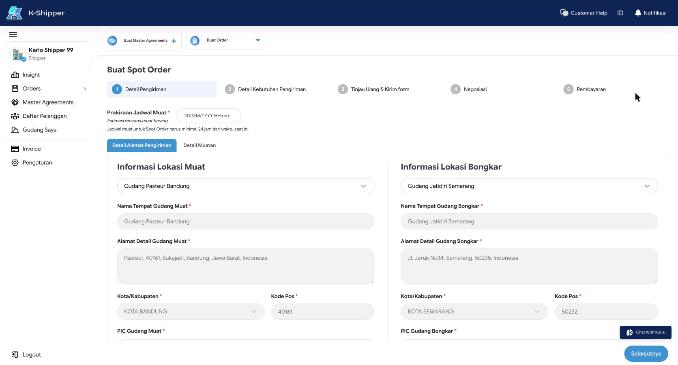
SO-013On a fresh create the saved address dropdown says 'Tidak ada alamat'; on Buat Ulang Pesanan the same account's saved warehouses are selected.
SO-014The transporter can offer below the shipper's own counter (2.500.000 against 3.000.000) with no warning. The check only exists on the shipper side. A help tooltip covers the message field while typing.
SO-015Shipper sees 'Order Dibatalkan' with no reason and no mention that the transporter rejected it. The page still shows the delivery stepper, an empty transporter card ('-') and 'Menunggu Pengemudi Ditugaskan'.
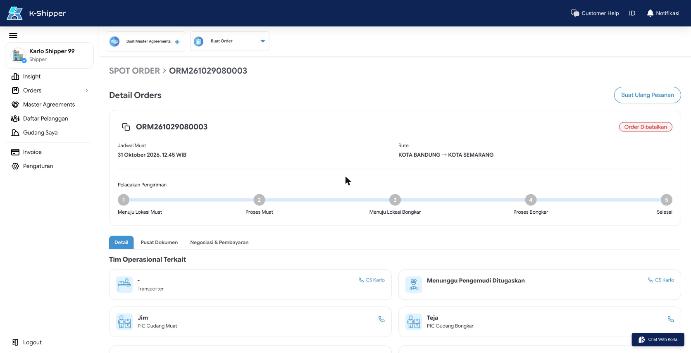
SO-016'Tolak Penawaran Transporter' reads as rejecting one price, but with a single transporter it cancels the whole order at once ('Order Dibatalkan'); the dialog does not say so. The dialog itself is good: required reason, 'Lainnya' asks for text, confirm disabled until filled.
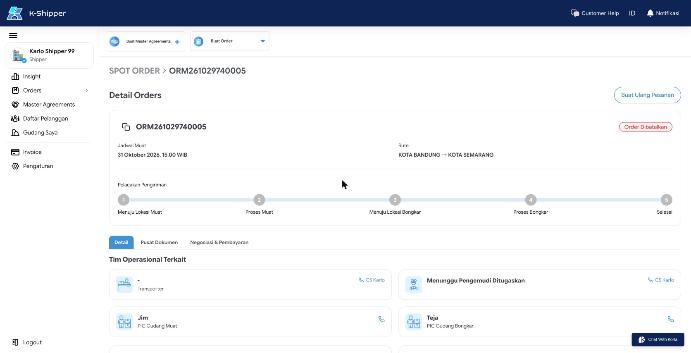
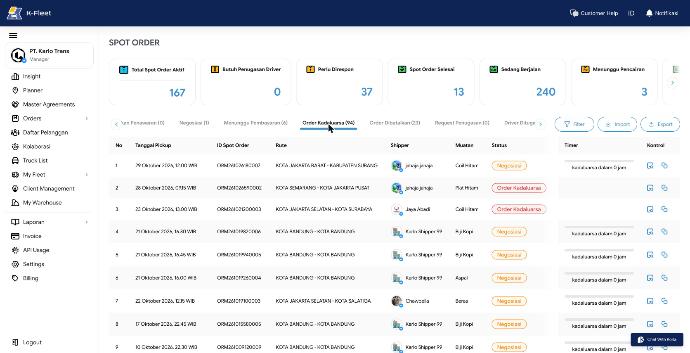
SO-017Orders past their deadline (some from July) still show 'Negosiasi' or 'Menunggu Pembayaran' with 'kadaluarsa dalam 0 jam'. The transporter's 'Order Kadaluarsa (94)' tab lists them, but 18 of its first 20 rows carry a 'Negosiasi' badge, and the 'Negosiasi' tab counts 1. The tab and the badge disagree about the same order.
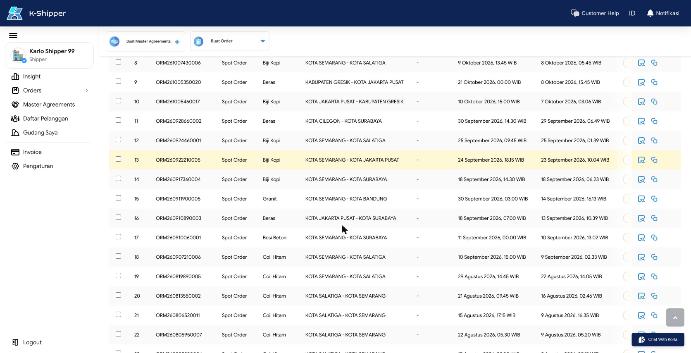
SO-018The table is 1548 px wide in a 1384 px container; the 'Status Order' column is clipped to a thin sliver, so no status is readable at a common desktop width.
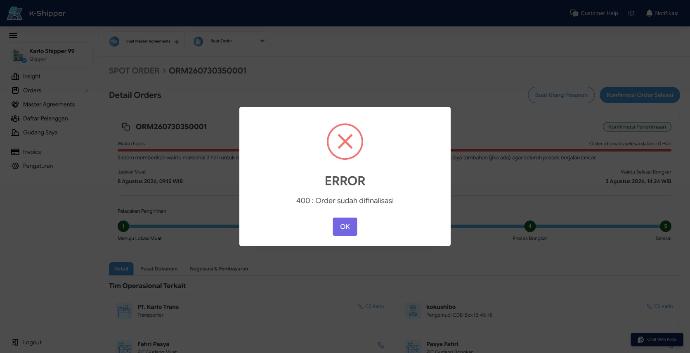
SO-019Both orders at 'Konfirmasi Penerimaan' show 'Waktu habis... otomatis selesai dalam: 0 Hari' since August and still offer 'Konfirmasi Order Selesai'; confirming returns '400 : Order sudah difinalisasi'. UI and server disagree on the status; the auto-finish never ran. 'Waktu Selesai Bongkar' (3 Aug) is before 'Jadwal Muat' (8 Aug).
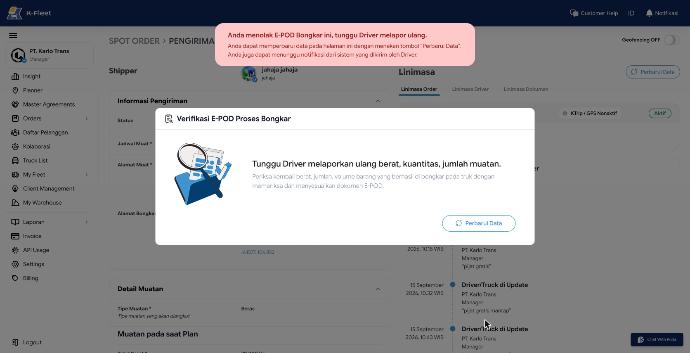
SO-020'Tolak' rejects the E-POD at once: no confirm, no reason, cannot be undone from the web. The next modal has no close button. Entering a quantity that differs from plan and loading (140 vs 150) gives no warning.
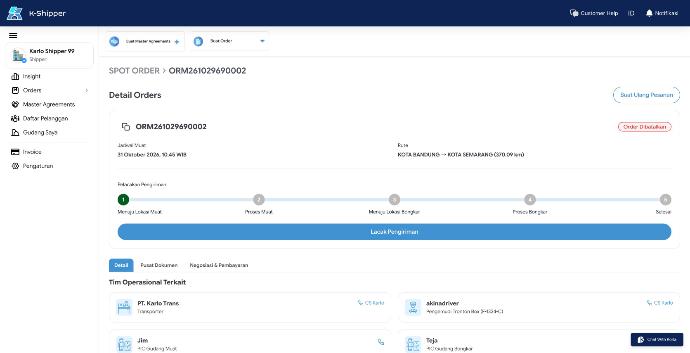
SO-021ORM261029690002 (driver assigned) was cancelled by the system at 13.23 as 'Order Cancelled by Inactive Transporter', 3 minutes after geofencing was switched on at 13.20 (logged as PT. Karlo Trans manager, not this review). Neither side got a reason they can act on; the transporter detail jumps back to the negotiation view.
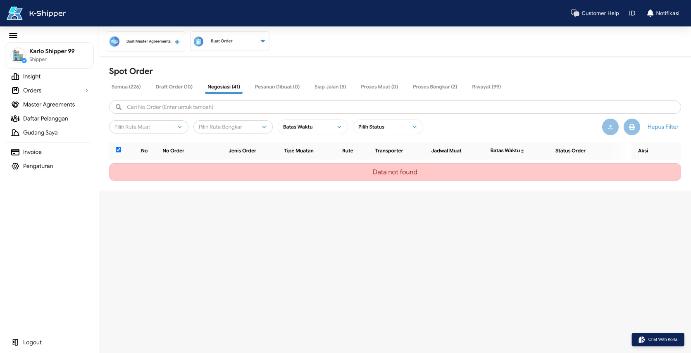
SO-022When the list request fails, the shipper list shows the same red 'Data not found' as an empty search, with the tab still saying 'Negosiasi (41)'. No error message, no retry.
SO-023The picker matches transporters on fleet (loading city and truck type), not on Harga Layanan. Gudang Sejahtera has Jakarta Timur to Tasikmalaya priced for Tronton Box, Wingbox, Bak and Dump but owns no Tronton, so it is silently left out; a transporter can publish prices it can never be picked for, and nothing warns either side.
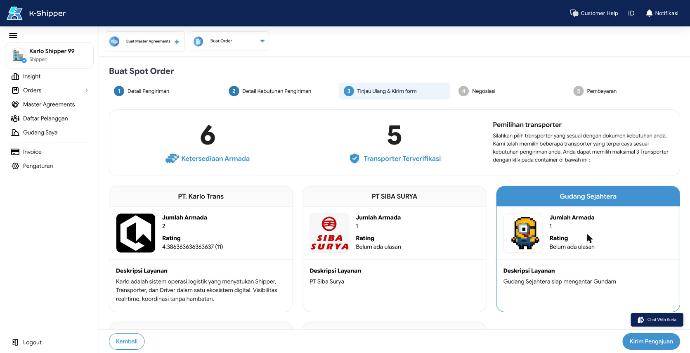
SO-024A 10,000 kg cargo was accepted for a Pickup Box (1 ton, 4 m3) with no warning at review or submit.
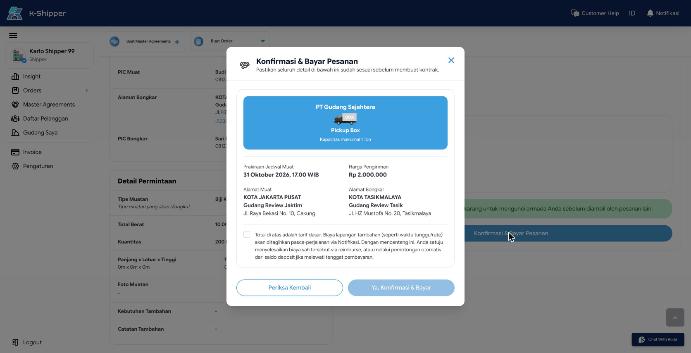
SO-025The modal names the transporter 'PT Gudang Sejahtera' (from companyProfile, ConfirmPesananModal.jsx:45) while the picker, list and detail say 'Gudang Sejahtera'. One company, two names on the way to payment.
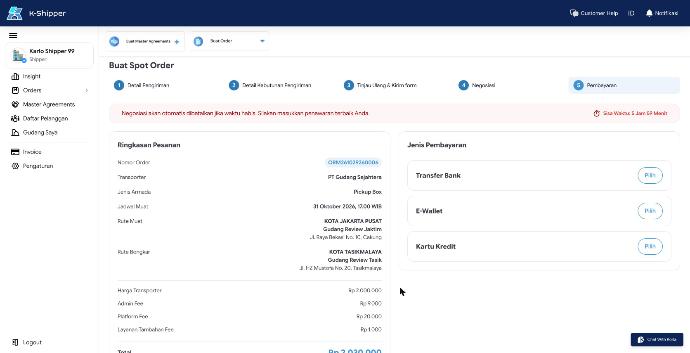
SO-026Step 5 (Pembayaran) still shows the red negotiation banner 'Negosiasi akan otomatis dibatalkan... masukkan penawaran terbaik Anda' with a countdown, although the price is agreed and there is nothing to offer.
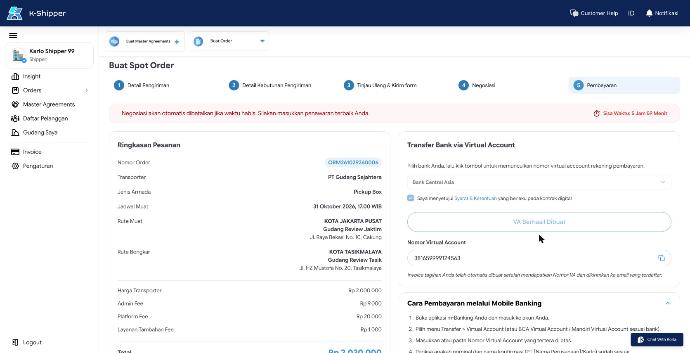
SO-027Copy issues next to the VA: 'virtual acccount' (three c), the mobile banking steps show the template placeholder 'PT [Nama Perusahaan]/Karlo', and the VA field keeps the placeholder 'Pilih jenis bank dahulu' as its accessible name after the VA is shown.
SO-028'Harga / KG' shows Rp 2.000.000, which is the total agreed price, not a price per kg. 'Distance Route' shows '- KM' and 'Fleet Recommendation' is empty for a Spot Order.
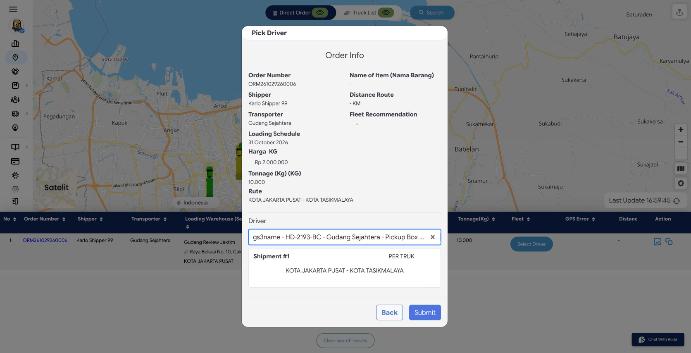
SO-029Export Excel works and contains only the selected rows (checked: 2 rows, 9 columns). 'Batas Waktu' still has a deadline for a cancelled order (ORM261029740005) and for an order whose driver is assigned (ORM261029260006); the list column shows the same live countdown.
SO-030'Export PDF' does not download a PDF: it opens the browser print dialog from a hidden iframe (src/utils/printHTML.js:30). The user has to pick 'Save as PDF' themselves, and the dialog blocks the page (it also blocked browser automation).
SO-031After Tolak the driver can only change photos: the 'kargo sesuai / tidak sesuai' answer stays 'tidak sesuai' and cannot be changed. The transporter gets the same mismatch toast again, so a mismatch flag can never be cleared by the driver.
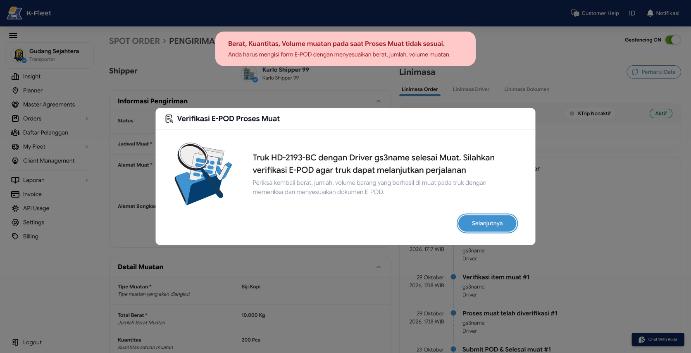
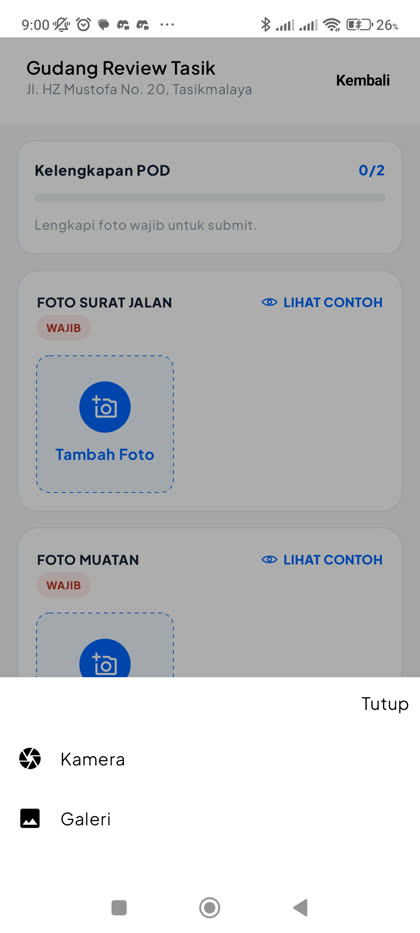
SO-032'Tambah Foto' offers Galeri next to Kamera, so a driver can submit any old picture as the unloading Surat Jalan and Muatan photo (tested with two generated images; accepted and shown to the transporter).
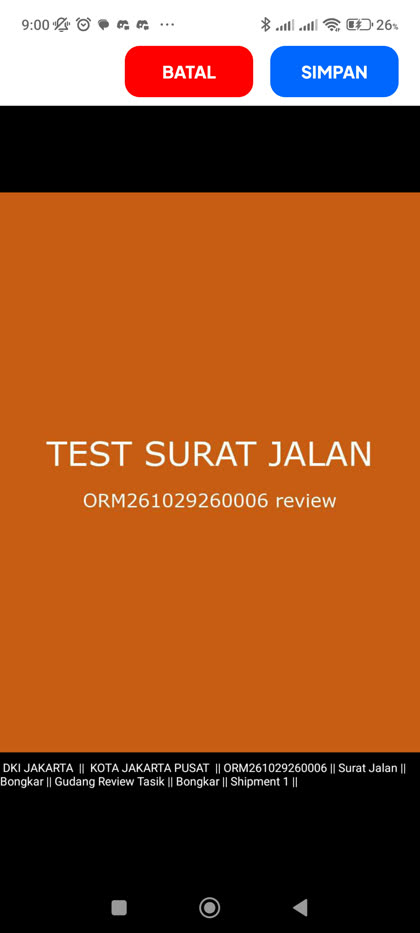
SO-033The photo watermark uses the phone's current location: an unloading photo for Gudang Review Tasik (Tasikmalaya) is stamped 'DKI JAKARTA || KOTA JAKARTA PUSAT || ... Bongkar || Gudang Review Tasik'. With geofencing off nothing flags the mismatch.
ON-001A transporter account is told to 'Download K-Shipper' (the shipper app). Typo: 'genggangaman' should be 'genggaman'.
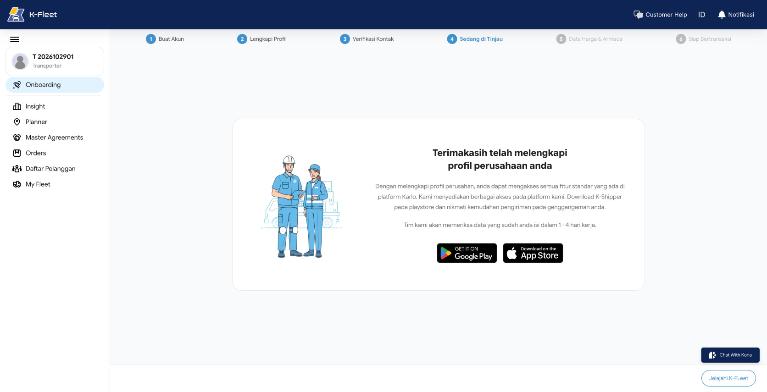
ON-002Review, verify and complete open directly by URL with an empty profile. Complete says 'Terimakasih telah melengkapi profil' although nothing was filled.
ON-003Loop: Harga Layanan 'Selanjutnya' returns to onboarding home, whose 'Isi armada sekarang' leads back to Harga Layanan. Add Truck is never reached from the flow; only by URL.
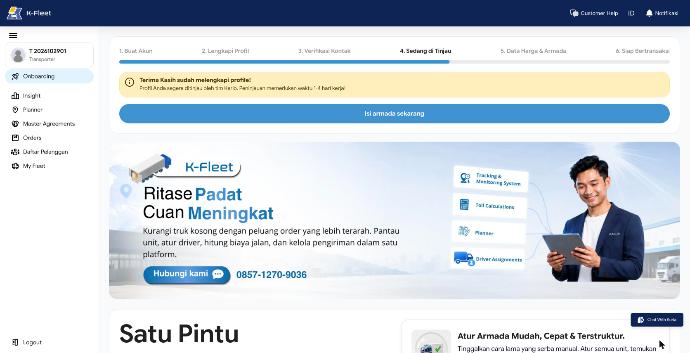
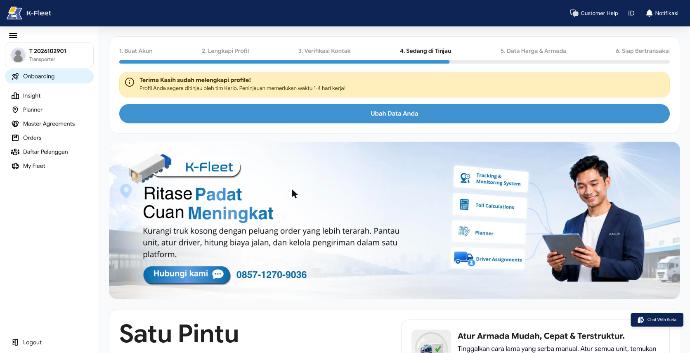
ON-004Pages disagree on the current step: home shows step 4, Harga Layanan step 3, Add Truck step 5. After the truck is saved, home still shows step 4.
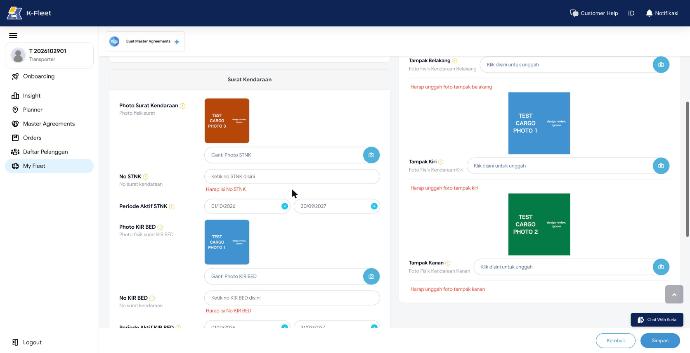
ON-005Validation errors stay visible after the field is fixed (photos uploaded, dimensions typed) until the next save. Axle dropdown ignores keyboard input.
ON-006The status dropdown offers 'Semua Status' (a filter option) as a status to set. The chosen 'User Terverifikasi' shows as 'Lolos Verifikasi' in the list: one status, two names.
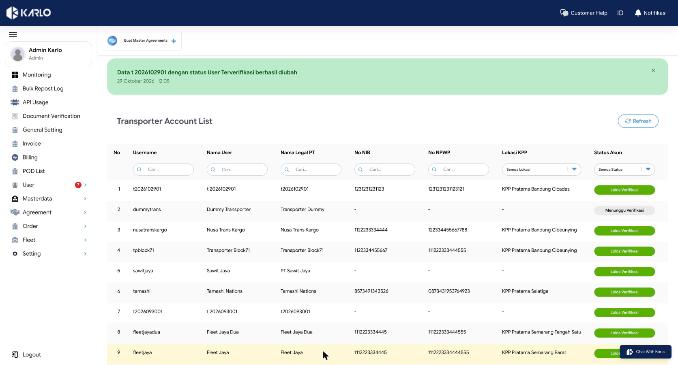
ON-007Row tooltip injects CSS with 'border-radius: undefinedpx'.
ON-008Bali port list has 'Nusa Penida' twice and both 'Pelabuhan Benoa' and 'Pelabuhan Benoa/Denpasar'.
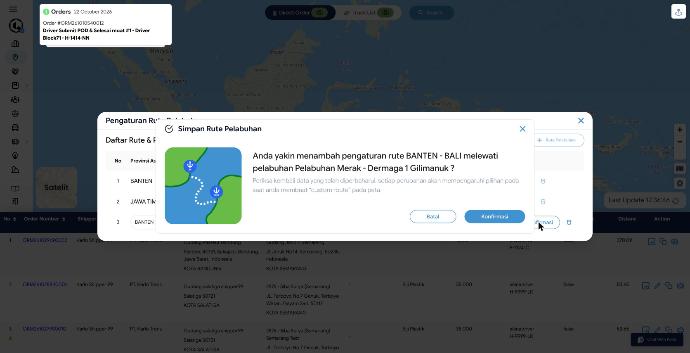
ON-009Adding a route that already exists (Kota Jakarta Pusat to Kota Bandung) saves without warning and replaces the existing route's prices: its Trailer Flatbed 40ft price disappeared. The form has no duplicate check (HargaLayanan.jsx validateFormBlock).
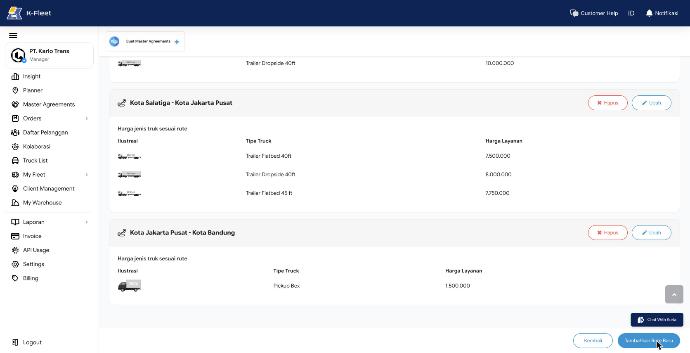
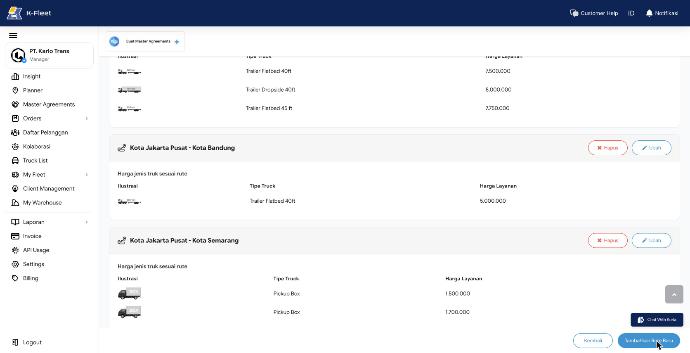
ON-010The same truck type can be added twice in one route with two prices (Pickup Box 1.500.000 and 1.700.000); the second select still offers it.
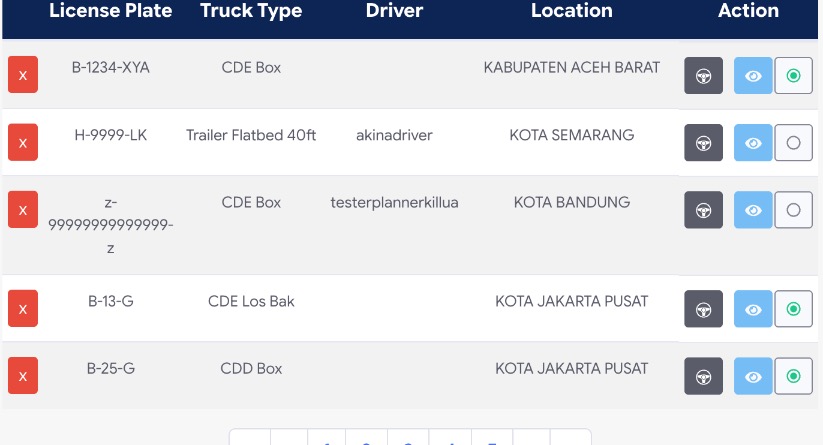
ON-011The plate is three boxes that only filter keystrokes; pasted text gets through ('12 ABCD 9!'). The fleet list already holds a truck with plate 'z-99999999999999-z'.
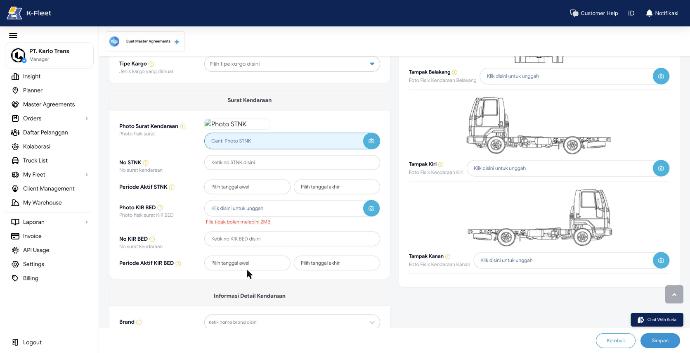
ON-012No file type check: a .txt is accepted as the STNK photo and shows as a broken image. Size limit is 2 MB here but 5 MB on Spot Order and the documents tab. The oversize message is inline under the field ('File tidak boleh melebihi 2MB'), which is the right pattern.
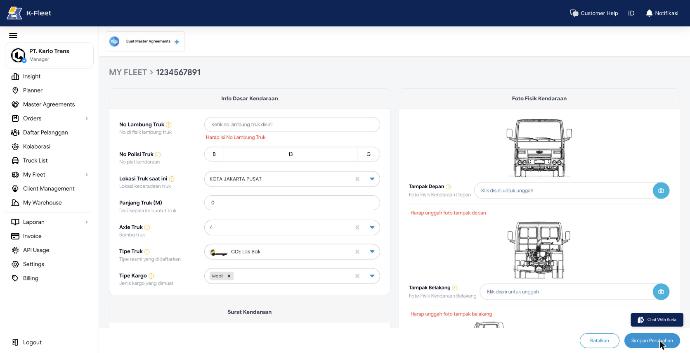
ON-013Edit mode does not load the existing truck photos, so saving any change fails with 'Harap unggah foto tampak depan / belakang ...' until all four photos are uploaded again.
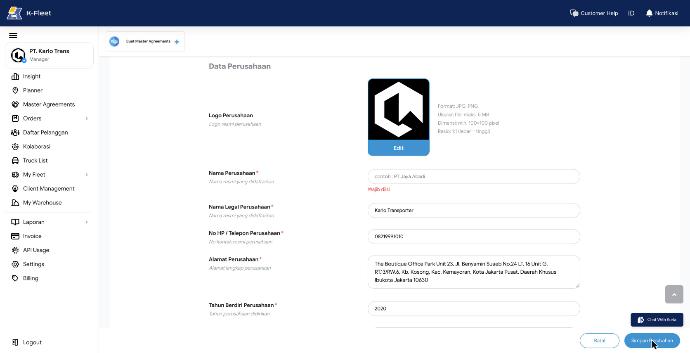
ON-014Clearing Nama Perusahaan and saving scrolls to the field and shows 'Wajib diisi' (text only, no red border). The error stays after the field is filled again. Batal leaves edit mode without asking about unsaved changes.
ON-015Kembali leaves without asking. Typed text is kept as a draft, but the uploaded logo is dropped silently.
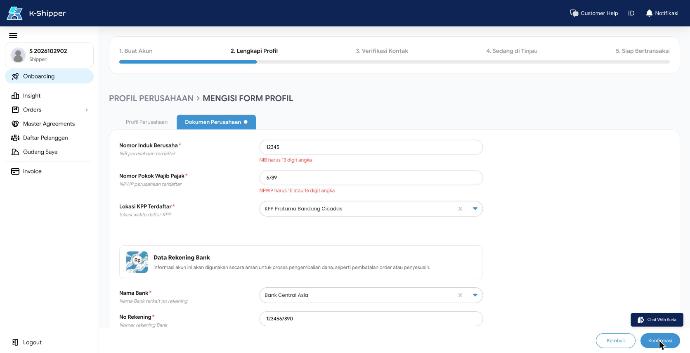
ON-016Format checks are clear ('NIB harus 13 digit angka', 'NPWP harus 15 atau 16 digit angka') and the tab gets a red dot, but the errors stay after the numbers are fixed, until the next submit.
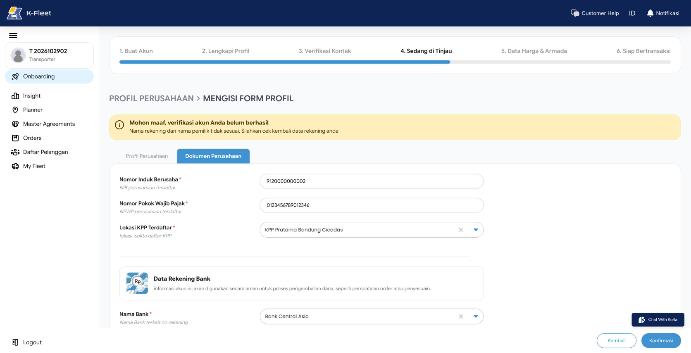
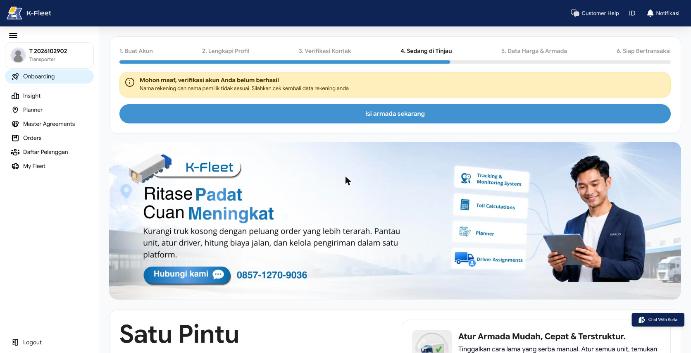
ON-017The banner names the reason ('Nama rekening dan nama pemilik tidak sesuai'), but the button says 'Isi armada sekarang' and opens Harga Layanan, which shows no reason and step 3 in its stepper. The bank form with the reason is reachable only by typing /onboarding/profile?tab=documents. Shippers get 'Perbaiki Data Anda Sekarang' instead.
ON-018Jenis Layanan shows only 'General Cargo' although the transporter chose General Cargo and Cold Chain (both shown on their review page).